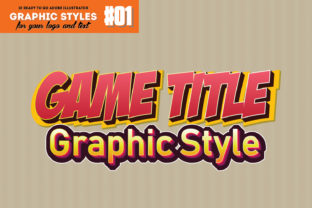
Illustrator Graphic Styles: A Strategic Asset for Scalable Vector Design
In the competitive landscape of digital design and branding, efficiency without compromise is the ultimate metric of success. For professionals managing tight deadlines and diverse project requirements, Illustrator Graphic Styles represent more than just a visual shortcut; they are a strategic workflow asset. Unlike raster-based effects that degrade with resizing or require complex layer management, true vector graphic styles maintain 100% editability and scalability. This fundamental characteristic ensures that whether you are designing a small mobile app icon or a massive billboard for a video game launch, the integrity of the design remains intact. Understanding how to leverage these styles intentionally can transform your production pipeline, allowing for rapid iteration while maintaining professional-grade quality.
The Strategic Value of Non-Destructive Vector Editing
The primary advantage of utilizing high-quality Illustrator Graphic Styles lies in their non-destructive nature. In traditional workflows, achieving complex lighting, shading, or texture often requires expanding objects, creating multiple layers, or applying raster effects that lock the design into a specific resolution. This approach creates technical debt; if the client requests a size change or a color adjustment later, the designer must often rebuild the effect from scratch. Vector-based styles eliminate this friction. Because the underlying mathematics remain editable, you can adjust the source text or shape at any point in the process, and the style updates automatically.
This capability supports long-term operational goals by reducing revision time and minimizing file complexity. For agencies and freelancers, this translates directly to profitability and client satisfaction. When you apply a pre-configured style set, such as a collection tailored for game graphics, you are not merely decorating an object; you are implementing a reusable design system. This consistency is vital for branding, ensuring that titles, logos, and UI elements share a cohesive visual language across all touchpoints. The ability to scale without losing detail means your assets are future-proof, ready for high-resolution displays and print media without additional production costs.
Accelerating Production for Game Assets and Branding
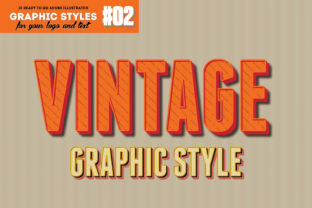
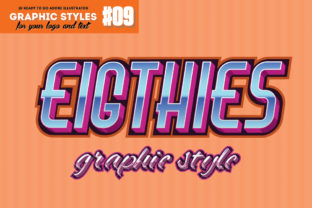
Time is often the most constrained resource in creative projects. Searching for tutorials on how to create specific text effects or manually constructing bevels and gradients for every new title card is an inefficient use of skilled labor. Dedicated graphic style libraries serve as a force multiplier. For example, a curated set of ten game-oriented vector styles allows designers to bypass the exploratory phase of effect creation and move directly to application and refinement. This is particularly relevant for entrepreneurs and marketers who need to produce promotional materials, posters, or social media assets rapidly.
Consider the practical application in video game development or event marketing. You may need to generate dozens of unique item names, achievement badges, or chapter titles that feel distinct yet belong to the same universe. By applying a consistent graphic style with a single click, you ensure uniformity while freeing up mental energy for higher-level creative decisions. Instead of wrestling with anchor points and gradient meshes, you can focus on composition, hierarchy, and messaging. This shift from technical execution to strategic design is what separates efficient professionals from those who get bogged down in pixel-pushing.
Practical Implementation and Workflow Integration
To maximize the return on investment from graphic styles, integration into your standard operating procedures is essential. These tools are designed for broad compatibility, typically supporting Adobe Illustrator CS4 and newer versions, which ensures accessibility across different team setups. The workflow is deliberately streamlined: type your word or draw your shape, select the desired style from the panel, and the transformation is instant. However, the real power emerges when you treat these styles as starting points rather than final destinations.
- Base Foundation: Use the style to establish the core aesthetic (e.g., metallic, neon, stone) instantly.
- Customization Layer: Adjust fill colors, stroke weights, or opacity to match specific brand guidelines or environmental lighting.
- Global Updates: Save modified versions back to the library to build a proprietary asset repository for future projects.
- Cross-Application: Apply the same style logic to icons, decorative borders, and typography to unify disparate design elements.
This approach turns a static product into a dynamic part of your creative infrastructure. Documentation, often provided in help files, should be reviewed not just for installation instructions but for understanding the construction of the styles themselves. Learning how a professional style is built can improve your own vector skills, serving as an educational tool alongside its utility as a production accelerator.
Making Informed Decisions: When to Use Pre-Made Styles
While Illustrator Graphic Styles offer significant advantages, strategic decision-making requires knowing when they are appropriate and when custom work is necessary. Reliance on pre-made assets carries the risk of generic output if used without critical thought. Before applying a style, evaluate the project’s unique value proposition. If the goal is speed, consistency, and recognizable genre signaling (such as retro arcade aesthetics or modern sci-fi interfaces), these styles are ideal. They communicate established visual tropes effectively, reducing cognitive load for the audience.
However, if the project demands a completely novel visual identity or highly specific brand differentiation, use these styles as a structural base rather than a final solution. The risk of using styles without clear goals is visual dissonance—applying a gritty, distressed texture to a clean, corporate fintech logo simply because it looks "cool." Always align your stylistic choices with the communication objectives of the project. Ask yourself: Does this style enhance readability? Does it support the emotional tone? Is it legible at the smallest intended size?
Evaluating Quality and Technical Compatibility
Not all graphic styles are created equal. When selecting a resource, prioritize those that are confirmed to be 100% vector. Some marketplaces sell rasterized textures disguised as styles, which fail under scrutiny when scaled. True vector styles rely on fills, strokes, gradients, and transparency effects native to Illustrator. Verify compatibility with your software version; while CS4 compatibility suggests broad legacy support, ensure the file structure works seamlessly with your current environment. Additionally, assess the organization of the file. A well-structured .ai working file allows you to deconstruct the style, learn from it, and modify it safely. Poorly organized files can lead to corruption or performance issues in large documents.
From a budgetary perspective, the cost-benefit analysis heavily favors acquiring quality style sets over custom commissioning or extensive tutorial time for routine tasks. For small business owners and hobbyists, this democratizes access to high-end aesthetics. For professionals, it optimizes billable hours. The key is to view the purchase not as buying a "look," but as investing in a verified, tested methodology for achieving that look efficiently.
Mitigating Risks and Ensuring Long-Term Utility
To avoid the pitfalls of dependency, adopt a mindset of intentional adaptation. Never ship a design where the only differentiator is a stock graphic style. Always introduce custom elements, whether through unique color palettes, bespoke typography pairing, or compositional adjustments. This ensures that while the underlying technique is standardized, the final output remains unique to your brand or project. Furthermore, maintain good file hygiene. Rename styles descriptively within your panels to avoid confusion later. If you modify a style for a specific client, save it as a variant rather than overwriting the master, preserving the original tool for future use.
Finally, consider the learning curve as part of the value. Analyzing how complex appearances are stacked in the Appearance panel provides insight into advanced Illustrator techniques. Over time, this reduces your reliance on external assets as your internal skill set grows. The ultimate goal of using Illustrator Graphic Styles strategically is not to replace creativity, but to remove technical barriers so that creativity can flourish within realistic constraints. By balancing automation with intentionality, you achieve results that are both economically viable and aesthetically superior.
Incorporating these vector assets into your toolkit requires a balance of appreciation for efficiency and commitment to quality. Whether you are creating game titles, marketing posters, or interface icons, the principles remain the same: leverage the scalability of vectors, respect the non-destructive workflow, and always align your aesthetic choices with broader strategic goals. When used correctly, Illustrator Graphic Styles are not just a convenience; they are a cornerstone of a professional, scalable, and sustainable design practice.