120 Interior Lightroom Presets Bundle Guide
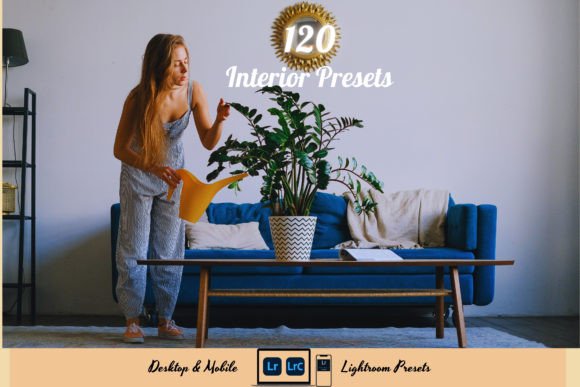
Capturing the perfect atmosphere of a room is often more challenging than taking the photo itself. Lighting conditions shift, shadows fall in awkward places, and colors rarely look as vibrant on screen as they do to the naked eye. The 120 INTERIOR Lightroom Presets Bundle addresses this common frustration by providing a comprehensive toolkit designed specifically for indoor photography. Rather than spending hours adjusting sliders for every single image, this collection offers 120 distinct starting points that instantly elevate your visual content. Whether you are showcasing a luxury property listing or simply documenting a cozy corner of your living room, these presets bridge the gap between a raw capture and a polished, professional aesthetic.
Understanding the Value of Specialized Interior Filters
General-purpose filters often fail when applied to interior spaces because they do not account for mixed lighting sources or the specific color rendering needed for architectural details. This bundle is curated with real estate and home design in mind. It includes Bright Home Photo Presets that open up dark rooms without washing out textures, as well as Cozy Interior Design Photo Filters that enhance warmth and ambiance. For professionals and hobbyists alike, the primary value lies in consistency. When editing a gallery for a blog post or a real estate portfolio, maintaining a uniform tone across dozens of images builds trust and visual cohesion. This collection ensures that your kitchen shots match the mood of your bedroom photos, creating a seamless narrative for your viewers.
What Is Included in Your Instant Download
Versatility is key when working across different devices, and this package is structured to support both mobile and desktop workflows. Upon purchase, you receive an instant download containing everything necessary to start editing immediately:
- 60 Unique Mobile Presets (DNG): Optimized for the Lightroom Mobile App on iOS and Android, allowing you to edit on the go directly from your phone’s camera roll.
- 60 Unique Desktop Presets (XMP): Designed for Lightroom Classic and Cloud-based desktop versions, perfect for high-resolution batch editing.
- 17-Page Installation Guide PDF: A step-by-step manual that removes technical guesswork, ensuring smooth setup regardless of your experience level.
This dual-format approach means you can apply a preset on your desktop for a client project and use the exact same style on your mobile device for social media stories, maintaining brand identity across platforms.
Practical Applications for Creators and Professionals
The utility of the 120 INTERIOR Lightroom Presets Bundle extends far beyond simple color correction. Different users will find specific advantages tailored to their unique goals. Real estate agents, for example, benefit immensely from the time-saving aspect. In a market where speed matters, being able to process a full property shoot in minutes rather than days allows for faster listings and quicker turnaround times. The presets help neutralize yellow tungsten casts or balance window blowouts, presenting properties in their most flattering light.
For interior designers and lifestyle bloggers, the appeal is stylistic. The variety within the bundle allows for experimentation with different moods. You might choose a crisp, high-contrast preset for a modern minimalist showcase, then switch to a softer, warmer filter for a rustic cabin feature. Educators and content creators teaching home organization or DIY renovation also find value here; clear, bright, and consistent imagery makes tutorials easier to follow and more engaging to watch. Even casual users looking to upgrade their Instagram feed will appreciate how these tools transform mundane snapshots into stunning works of art with minimal effort.
Compatibility and Technical Ease
One of the most significant barriers to entry for photo editing is software compatibility. This bundle is engineered to be universally accessible within the Adobe ecosystem. It supports all standard photo formats, including RAW and JPEG, ensuring that whether you shoot with a professional DSLR or a smartphone, the presets will function correctly. The mobile DNG files work seamlessly with the free version of the Lightroom Mobile app, making professional-grade editing accessible without requiring a paid subscription. On the desktop side, the XMP format ensures compatibility with both the traditional Lightroom Classic and the newer cloud-based architecture, future-proofing your purchase as software updates evolve.
Getting Started: Installation and Workflow
Setting up your new presets is a straightforward process designed to get you editing as quickly as possible. After purchasing, you will download a ZIP file containing the assets. Follow this simple workflow to integrate them into your library:
- Locate the product PDF included in your initial download and click the link provided to access the Google Drive page.
- Download the large file containing the actual Lightroom Presets.
- Unzip the downloaded file on your computer to extract the DNG and XMP folders.
- Import the files into your respective Lightroom applications using the instructions in the 17-page guide.
Once installed, the presets appear in your user presets panel. Applying them is as simple as clicking a name or tapping a thumbnail. However, the true power comes from using them as a foundation rather than a final destination.
Important Considerations for Best Results
While presets are powerful automation tools, it is important to remember that every photo is unique. Lighting conditions, camera sensors, and white balance settings vary significantly from shot to shot. Consequently, some minor adjustments may be needed after applying a preset to achieve perfection. Think of these presets as completing 80% to 90% of the work; the final 10% involves tweaking exposure, temperature, or tint to suit the specific characteristics of your image.
Beginners should not feel intimidated by this need for adjustment. In fact, this flexibility is what prevents edits from looking artificial or over-processed. If a preset makes an image too warm, simply lower the temperature slider. If the shadows are crushed, lift them slightly. Over time, you will develop an intuition for which presets work best for specific lighting scenarios, effectively training your eye to edit like a seasoned pro. By combining the efficiency of the 120 INTERIOR Lightroom Presets Bundle with your own creative judgment, you save time while retaining full artistic control over your visual storytelling.